作者: Allen Chung

  • 如何手動套用特定的 policy 到無法連接主控台的 SDCS 用戶端

    • 請先將該 policy 套用至一個已連線至主控台的用戶端
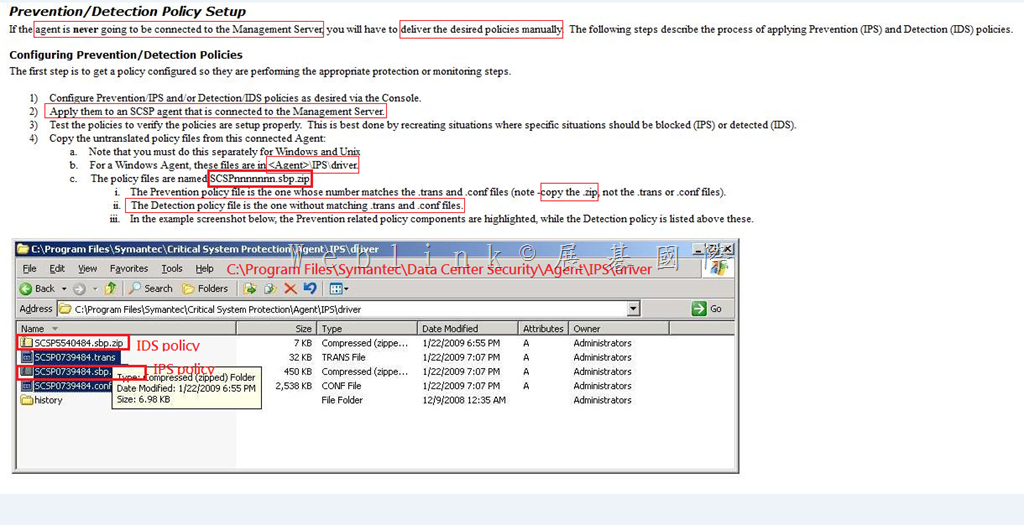
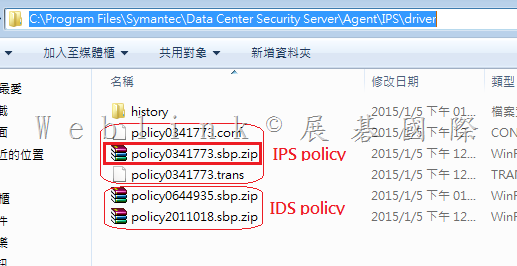
    • 至上一步驟的用戶端的 C:\Program Files\Symantec\Data Center Security Server\Agent\IPS\driver 目錄下,複製 IPS 與 IDS policy

    policy 的格式為 policy1234567.sbp.zip (1234567 為數字)

    sbp.zip   .trans   .conf   擁有相同檔名者,請複製其中 sbp.zip (此即為 IPS policy)

    其餘 sbp.zip 即為 IDS policy

    image


    image


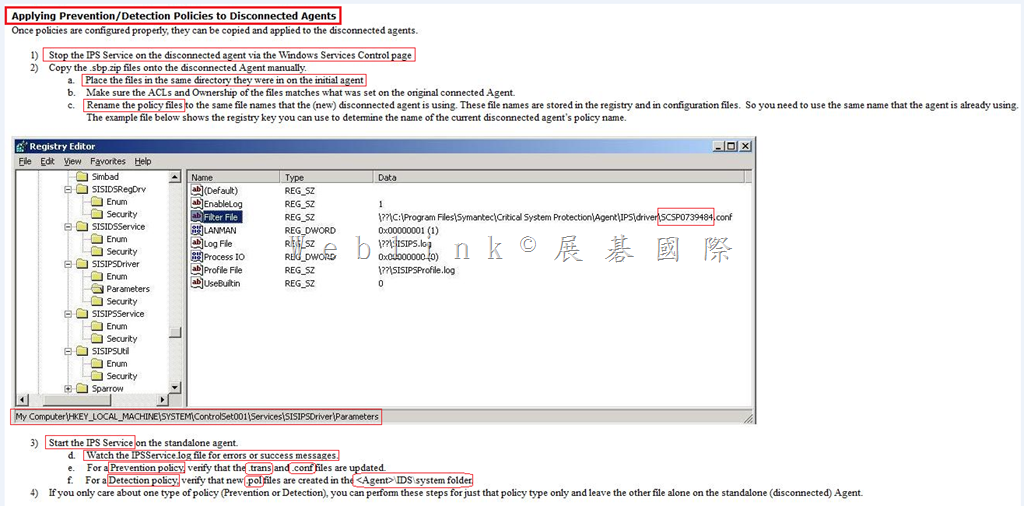
    • 停止無法連線至主控台的用戶端的 IPS 服務
    • 將先前步驟複製出的 sbp.zip 檔複製到無法連線至主控台的用戶端的相同目錄 (C:\Program Files\Symantec\Data Center Security Server\Agent\IPS\driver )
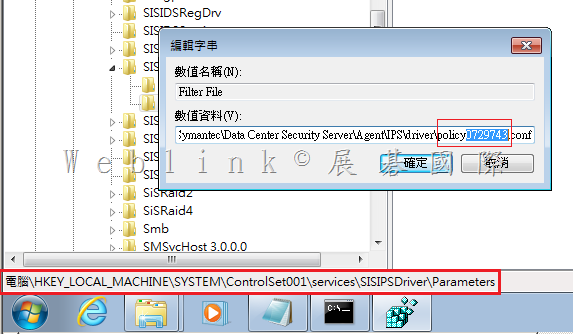
    • 並請將 IPS policy 更名 (名稱請至註冊機碼查詢)
    • 之後請確認 IPS policy 的 .trans 與 .conf 是否更新
    • 亦請確認 IDS policy 新的 .pol 是否在 C:\Program Files\Symantec\Data Center Security Server\Agent\IDS\system 被建立


    image

    查詢 IPS policy 的名稱

    image

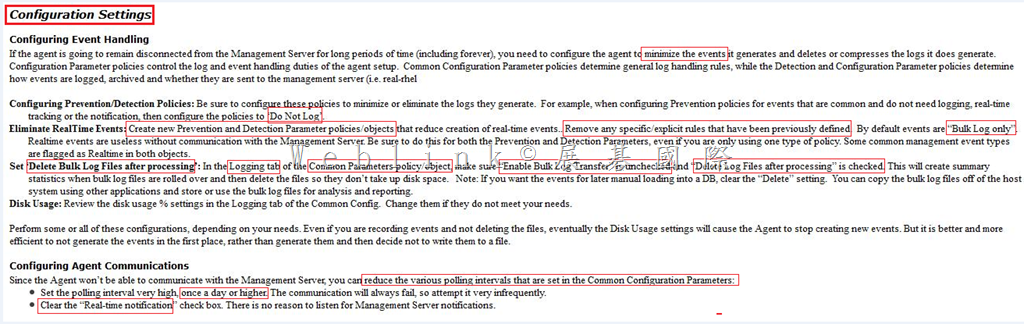
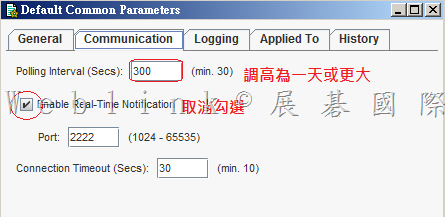
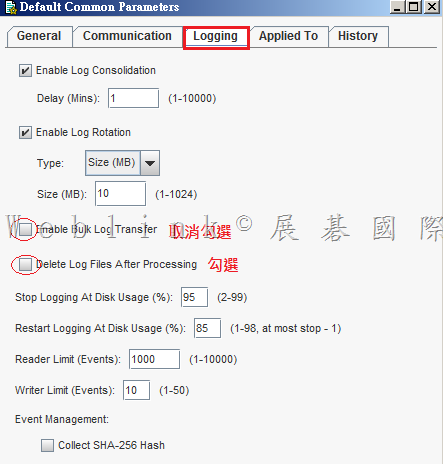
    • 進行 Common parameters、Prevention parameters 與 Detection parameters Configuration 的設定並套用到已連線的 SDCS 用戶端


    image

    image


    image

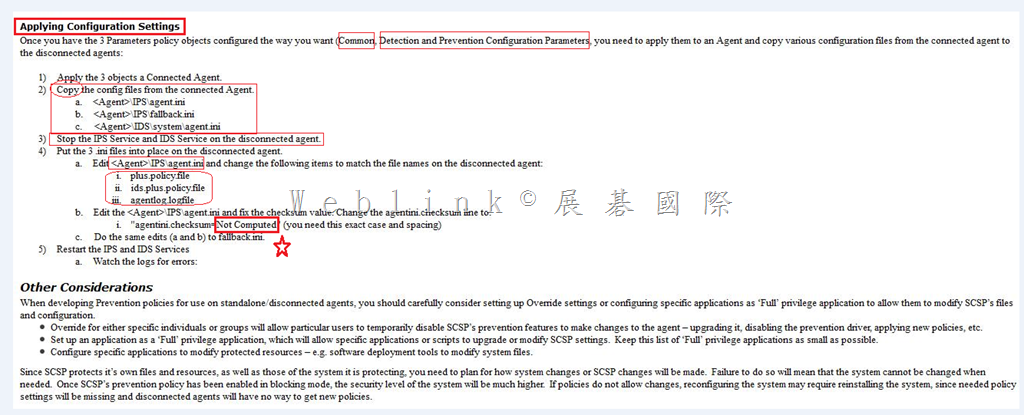
    • 停止無法連線至主控台的用戶端的 IPS 服務
    • 將 C:\Program Files\Symantec\Data Center Security Server\Agent\IPS 目錄下的 agent.ini 與 fallback.ini 複製至無法連線至主控台的用戶端的相同目錄
    • 將 C:\Program Files\Symantec\Data Center Security Server\Agent\IDS\system 目錄下的 agent.ini 複製至無法連線至主控台的用戶端的相同目錄
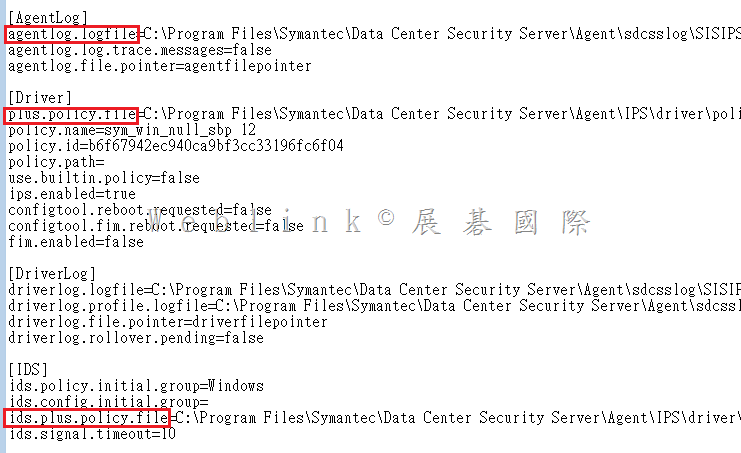
    • 修改 C:\Program Files\Symantec\Data Center Security Server\Agent\IPS 目錄下的 agent.ini 中的以下三區塊

    plus.policy.file

    ids.plus.policy.file

    agentlog.logfile

    • 重啟 IPS 與 IDS 服務

    image


    image

  • 如何設定【連結帳戶】

    如果您才將原本使用的 g-mail 、hotmail 信件系統或是其他租用的郵件系統移轉至 Office 365 的 Exchange On-line。

    舊 E-mail address 假設是 user@gmail.com

    新 E-mail address 假設是 user@xyz.onmicrosoft.com 或是 user@xyz.com.tw

    若短時間內您想要能做到在 Office 365 上就能接收與回覆客戶的信件,您可以透過【連結帳戶】來達到此需求

    步驟如下:

    請該使用者登入自己的 Office 365 (  https://portal.microsoftonline.com/ )

    image

    選擇您的 Outlook

    image

    點選 Outlook 設定中的【選項】

    image

    點選【帳戶】→【連結帳戶】,並按下右方【+】來新增連結帳戶

    image

    輸入您想連結的帳戶資訊 (此例為 user@gmail.com )

    這樣寄至 user@gmail.com 的信件都會轉送一分至 user@xyz.onmicrosoft.com 或是 user@xyz.com.tw

    image

    這是寄至 user@gmail.com 的信件

    image

    自動轉寄至 Office 365 user@xyz.onmicrosoft.com 或是 user@xyz.com.tw

    image

    當我們要回覆信件時,可以任意選擇舊的或是信的 mail address 來回

    image

    客戶收到的回信,如果上一個步驟選的是舊的 E-mail address,就會顯示是 【新的 E-mail address】代替【舊的 E-mail address】寄發郵件

    image

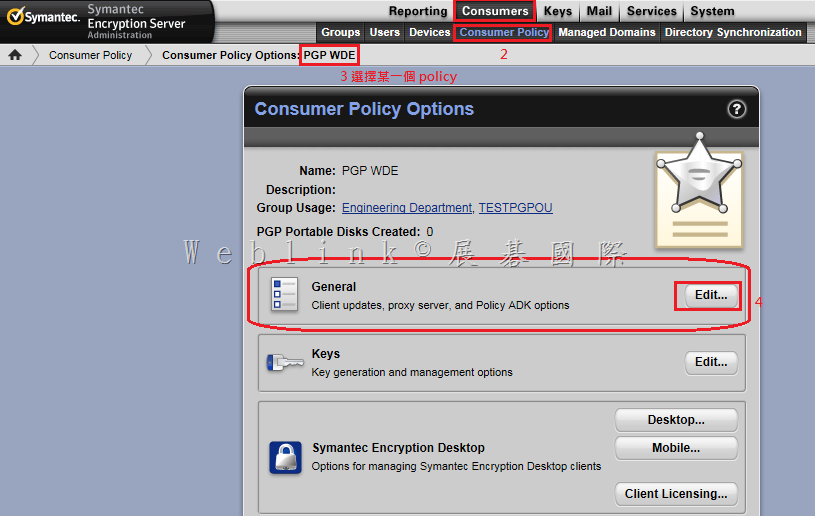
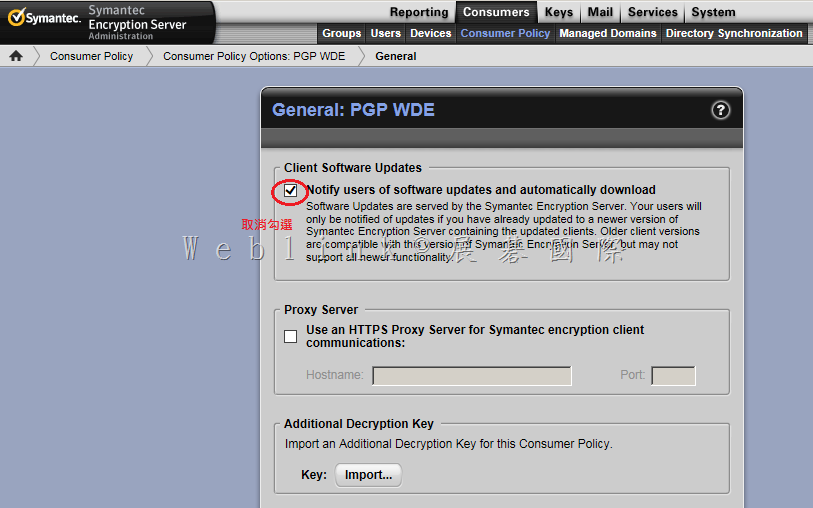
  • PGP 主控台更新時,如何關閉用戶端的升級通知

    PGP 主控台更新時,如何關閉用戶端的升級通知

    image

    image

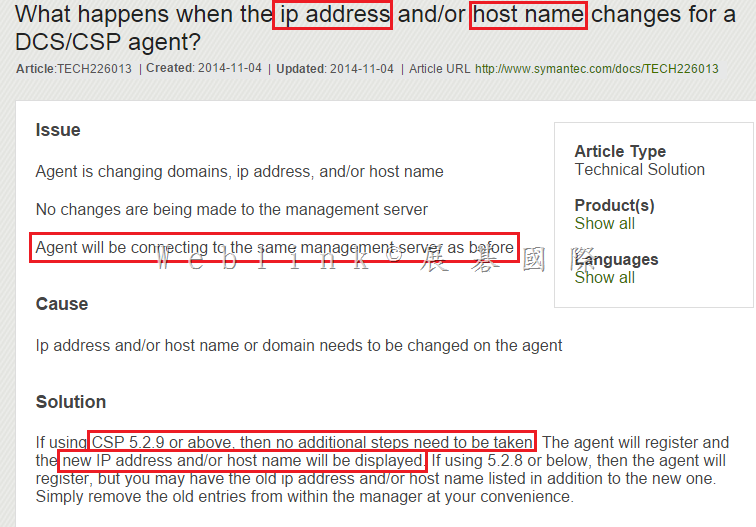
  • DCS agent 同時更改 IP 與電腦名稱後是否能繼續 report 到 DCS management Server (並顯示更改後的 IP 與電腦名稱)

    如果是 SCSP 5.2.9 或以上 (DCS 為 6.0 版,也包含) 都是可以的。

    What happens when the ip address and/or host name changes for a DCS/CSP agent?

    http://www.symantec.com/business/support/index?page=content&id=TECH226013

    image

  • Symantec DCS console 如何設定 console 的 timeout 時間

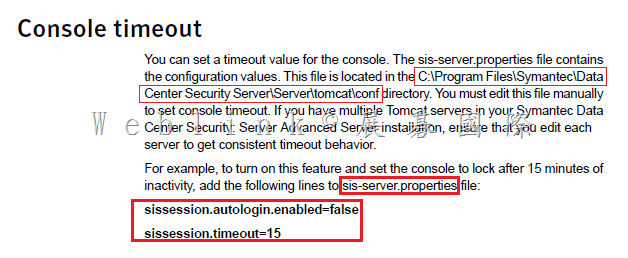
    Symantec DCS console 預設是沒有定義閒置多久後會自動登出 console 主控台

    我們可以參考以下說明來設定 timeout 的閒置時間

    image

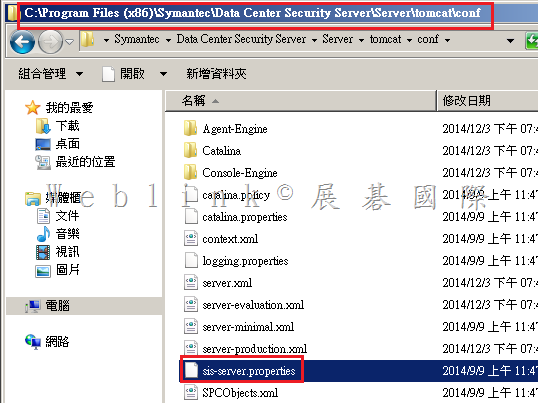
    • 請在 management server 上,找到以下目錄中的 sis-server.properties 檔案

    C:\Program Files (x86)\Symantec\Data Center Security Server\Server\tomcat\conf

    image

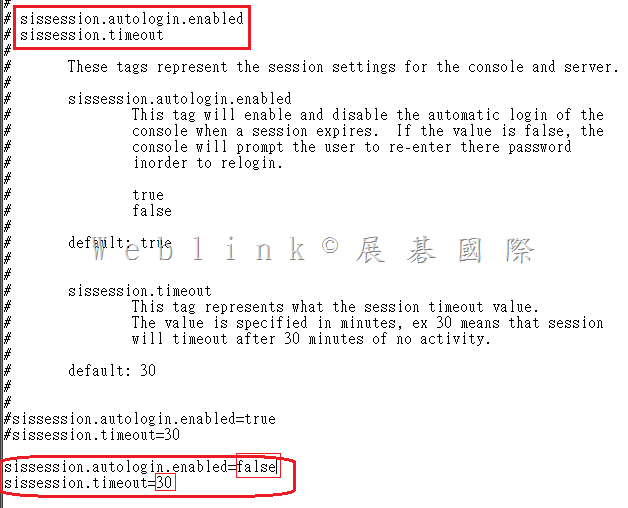
    • 以 notepad 開啟 sis-server.properties
    • 加入以下兩行,這樣 console 主控台閒置 timeout 時間即為 30 分鐘

    sissession.autologin.enabled=false
    sissession.timeout=30

    image

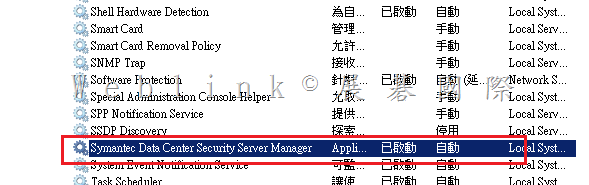
    • 重啟該主機或 DCS Server Manager 服務

    image

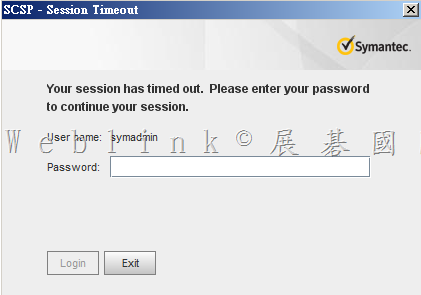
    • 閒置 30 分鐘後即自動登出

    image

  • 安裝 PGP Desktop 10.3.2 MP6 在 Mac OS X 10.10 需先 disable CoreStorage

    What’s Changed in Symantec Encryption Desktop for Mac OS X 10.3.2 MP6
    General
    • Resolved incompatibilities with Apple Mac OS X 10.10 systems.
    Known issues
    Compatibility with CoreStorage: CoreStorage may be applied, by default, to your Mac OS X 10.10 drives. Symantec Encryption Desktop is not compatible with CoreStorage drives. In order to install Encryption Desktop, you must disable CoreStorage. In addition, in order to prevent future issues, including issues with an encrypted disk, do not re-enable CoreStorage after Encryption Desktop has been installed and your drive has been encrypted. Failure to do so could result in data that cannot be recovered. This issue will be resolved in a future release of the product. [3653114]

    所以目前安裝PGP於10.10之前需要先做以下動作

    1.    先開啟terminal視窗
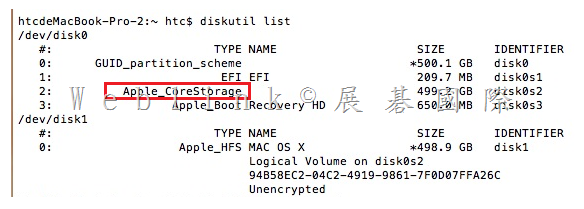
    下指令: diskutil list查詢目前的情況
    10.10版本的預設值會開啟CoreStorage
    image

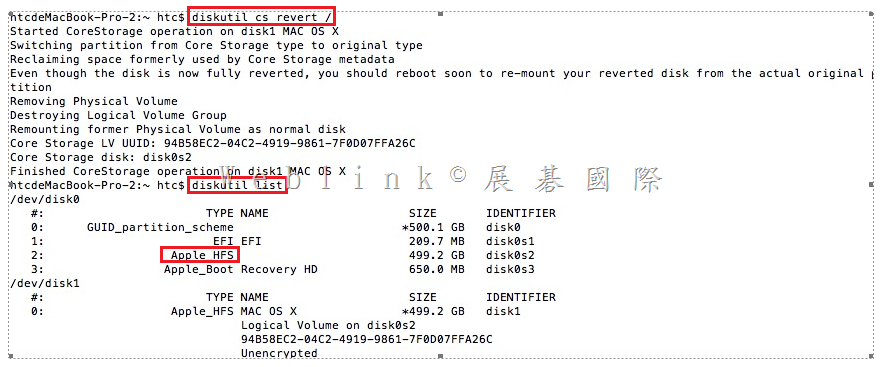
    2.    輸入指令轉換格式:diskutil cs revert /  (請注意revert後需要加一個空格再打/)
    接著下diskutil list檢查一次格式
    Hdd將會轉換回App_HFS,之後就可以正常安裝

    image

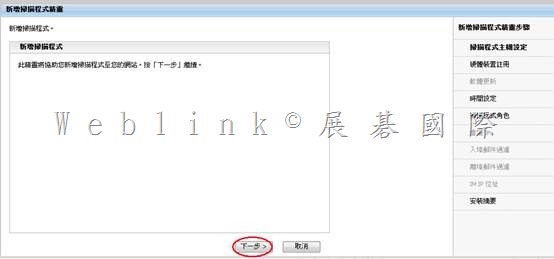
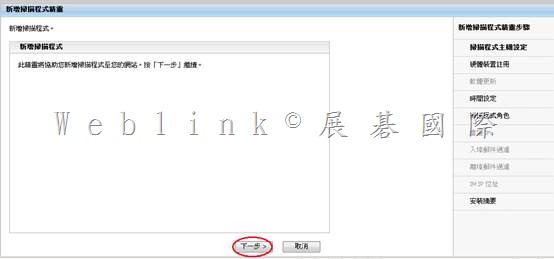
  • Symantec Brightmail Gateway 901 (新增第二台 Scanner)

    【使用 ESXi 的前置作業】

    l 安裝 VMWare Workstation (我裝 7.0)

    l 在VMWare Workstation 上,新增一個 VM → (120G、3G memory、CPUx2)(並做好相關設定,讓 VM 中可以開啟另一個 VM,以利本次測試)

    l VM 上面安裝VMWare ESXi 4.0【192.168.1.132】

    l 連線至 http://192.168.1.132 下載 VSphere client

    l 在本機安裝 VSphere client,透過 VSphere client 連線至VMWare ESXi 4.0

    l 在 VSphere client 上,上傳 .ovf,以建立另一個 SBG VM

    l 開啟此 VM,進行下面 SBG 的設定

    【Symantec Brightmail Gateway 9.0.1 設定】

    開啟 Symantec Brightmail Gateway

    【pre-config console】

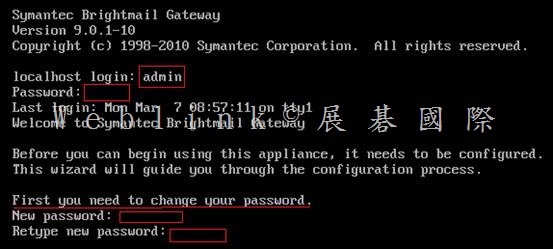
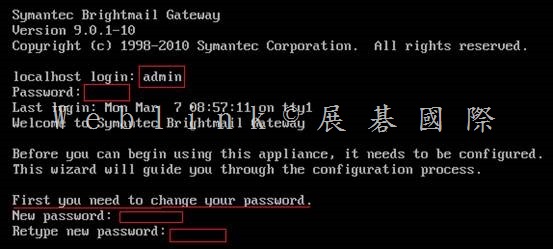
    以【預設帳號:admin】【預設密碼:symantec】登入 pre-config console

    系統會立即請你設定新密碼

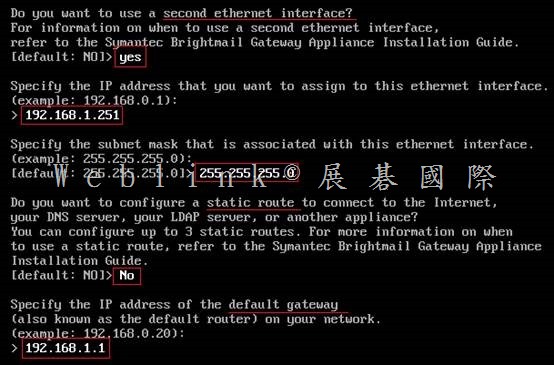
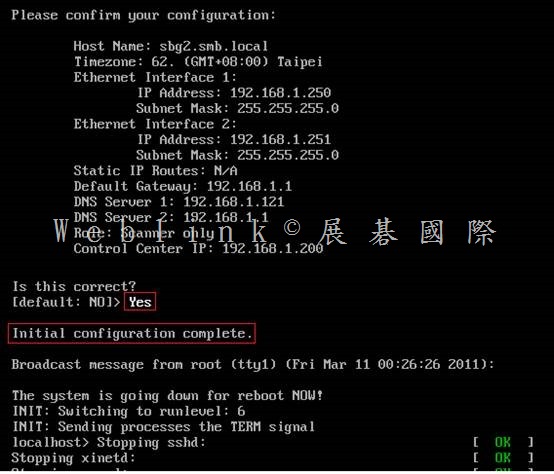
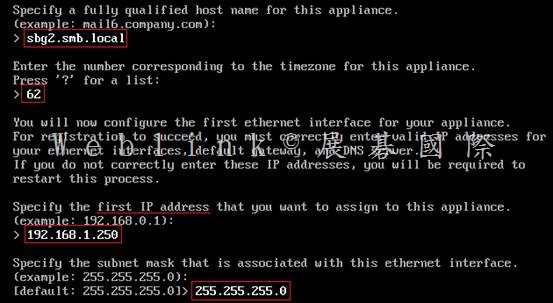
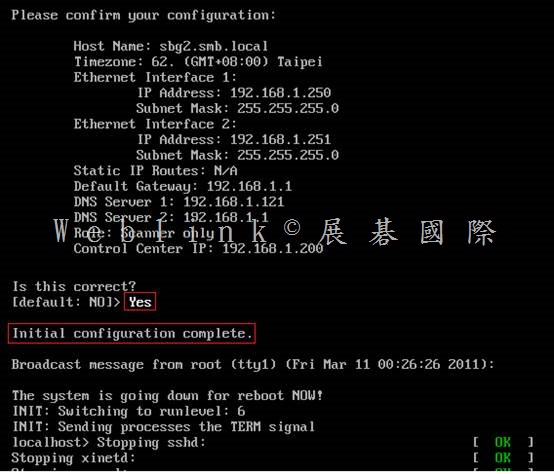
    設定 時區 【62】

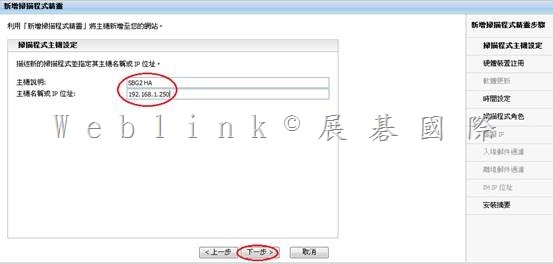
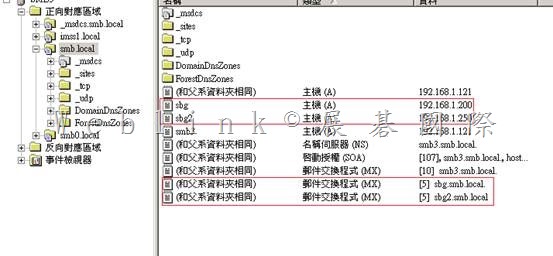
    設定 Symantec Brightmail Gateway FQDN 【sbg2.smb.local】

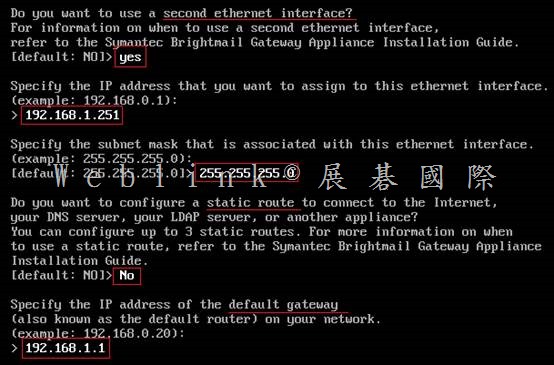
    設定 ip、子網路遮罩【192.168.1.250、255.255.255.0】

    設定 static route【略】

    設定 gateway【192.168.1.1】

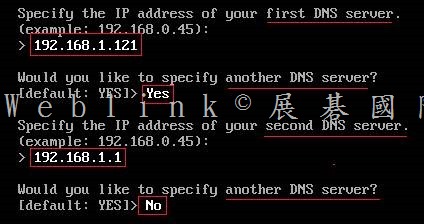
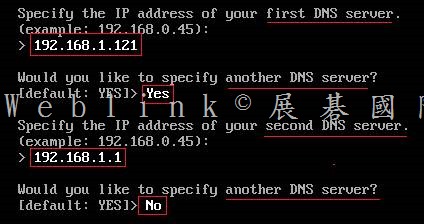
    設定 DNS【192.168.1.121】
     

    clip_image002

    clip_image004

    clip_image006

    clip_image008

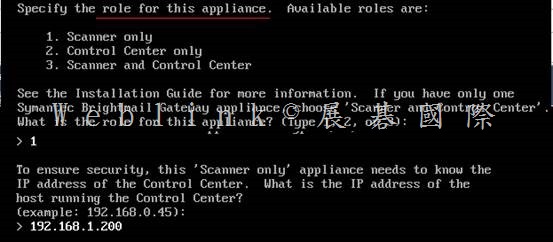
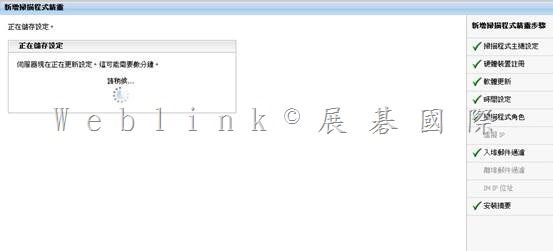
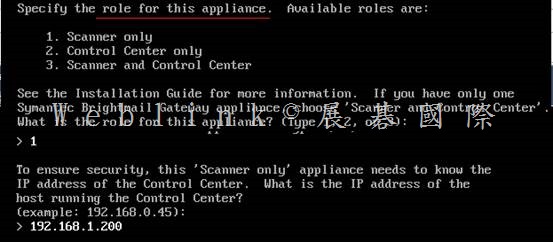
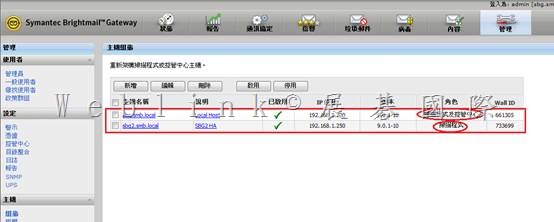
    第二台 SBG 僅選擇 1.Scanner only

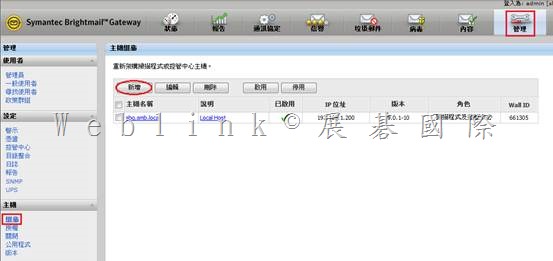
    請先指定 Control Center

    clip_image010

    clip_image012

    【Web console】

    登入Symantec Brightmail Gateway web console

    https://ip (https://192.168.1.200)

    帳號:admin

    密碼:

    clip_image014

    clip_image016

    clip_image018

    clip_image020

    clip_image022

    clip_image024

    第一次登入 SBG pre-config console時,密碼是 symantec,不過會立即請你設定新密碼

    之後就是以此新密碼來登入 web console

    需先取得的資訊

    VMWare ESXi 4.0

    (IP與使用 VSphere登入ESXi 的帳號 [root]、密碼)

    SBG

    FQDN

    IPx2、Subnet Mask、Gateway、DNS

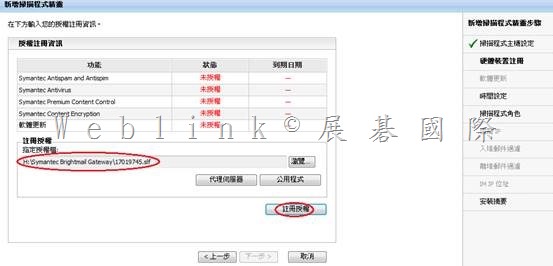
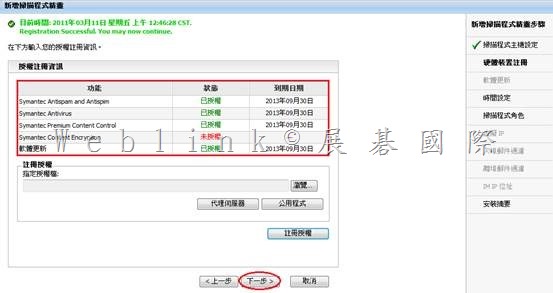
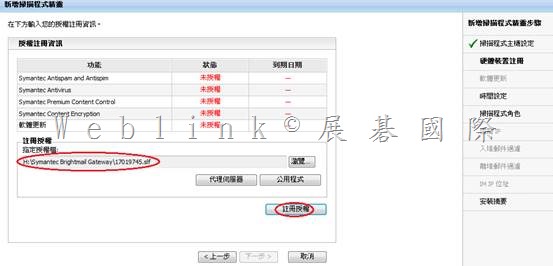
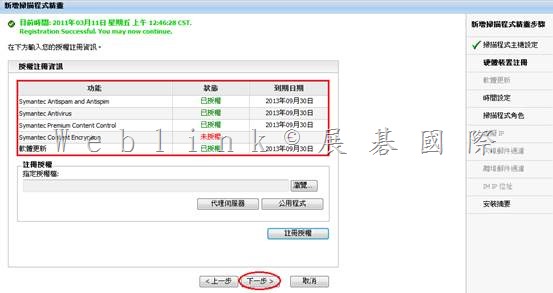
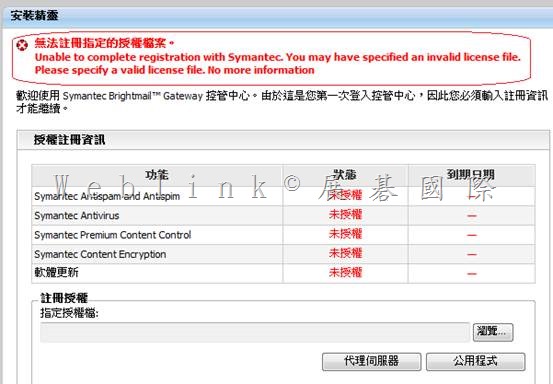
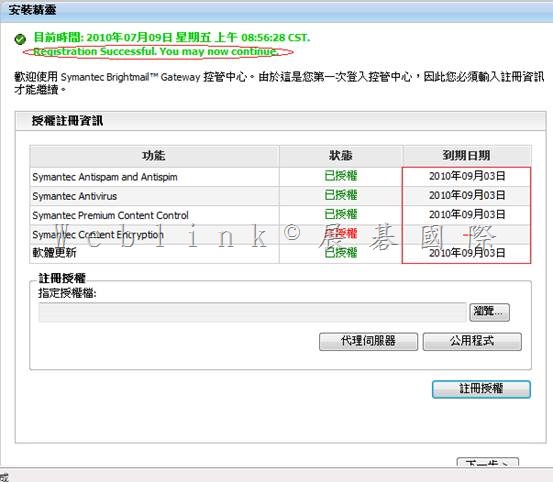
    SBG license file (.slf)

    Notification Mail Address

    NTP

    Mail Domain、Forward Mail server or IronPort IP

    =======================================================

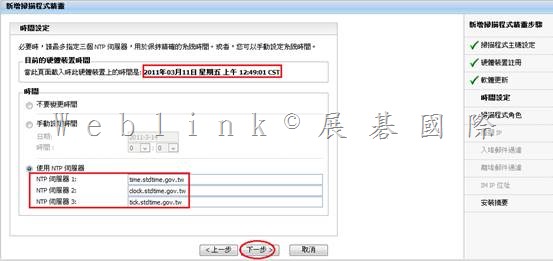
    http://www.stdtime.gov.tw/chinese/bulletin/NTP%20promo.txt

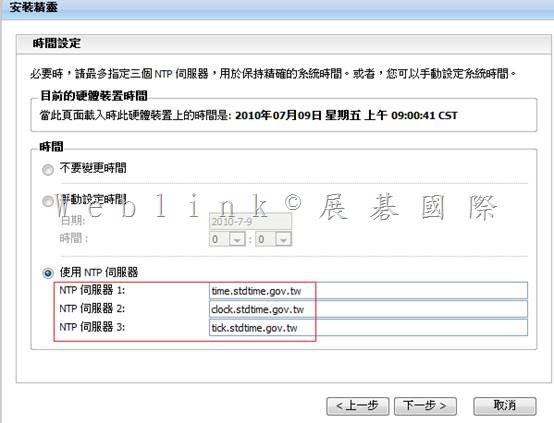
    time.stdtime.gov.tw

    clock.stdtime.gov.tw

    tick.stdtime.gov.tw

    tock.stdtime.gov.tw

    watch.stdtime.gov.tw

    clip_image026

    clip_image028

    clip_image030

    clip_image032

    clip_image034

    http://www.stdtime.gov.tw/chinese/bulletin/NTP%20promo.txt

    time.stdtime.gov.tw

    clock.stdtime.gov.tw

    tick.stdtime.gov.tw

    tock.stdtime.gov.tw

    watch.stdtime.gov.tw

    clip_image036

    clip_image038

    clip_image040

    clip_image042

    clip_image044

    clip_image046

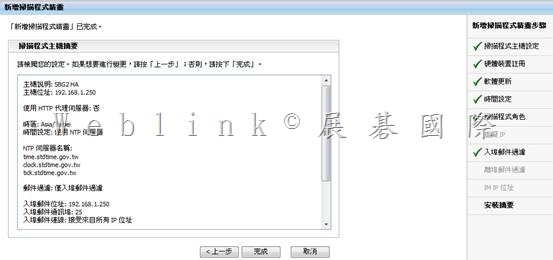
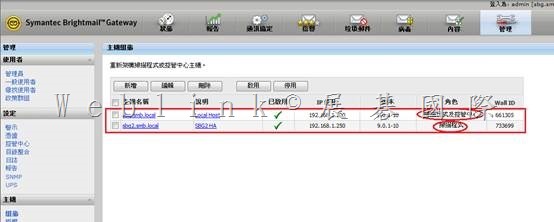
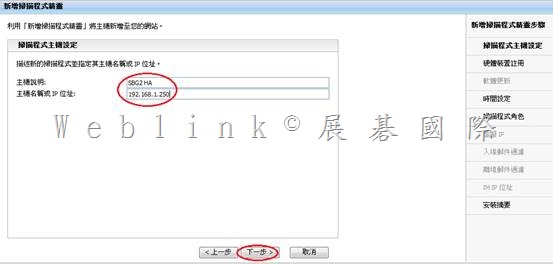
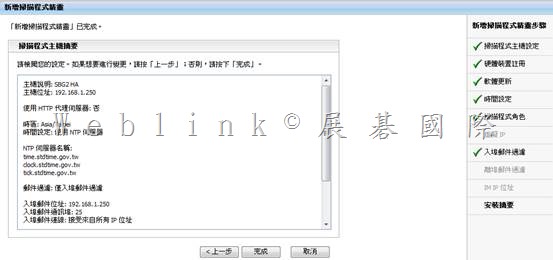
    主機說明: SBG2 HA
    主機位址: 192.168.1.250
    使用 HTTP 代理伺服器: 否
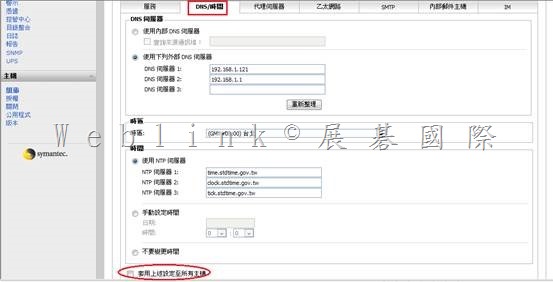
    時區: Asia/Taipei
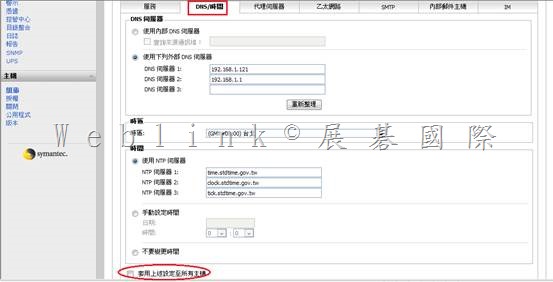
    時間設定: 使用 NTP 伺服器
    NTP 伺服器名稱:
    time.stdtime.gov.tw
    clock.stdtime.gov.tw
    tick.stdtime.gov.tw
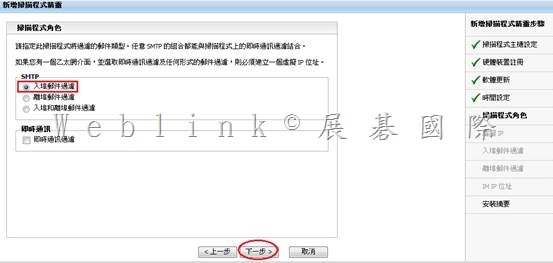
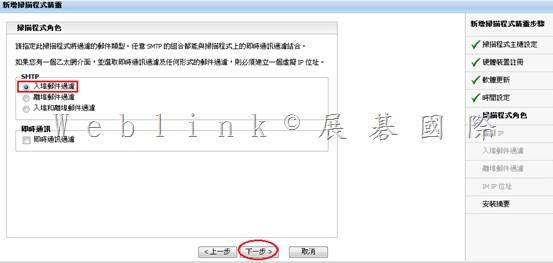
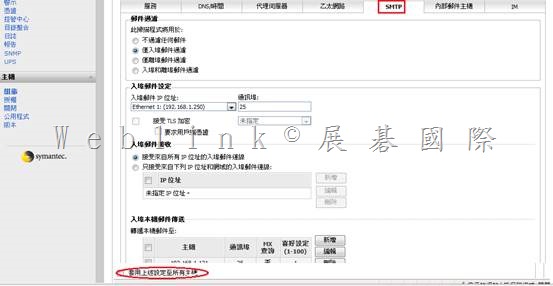
    郵件過濾: 僅入埠郵件過濾
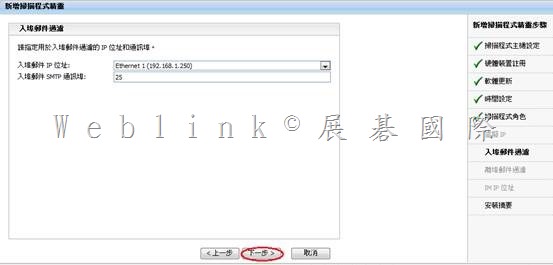
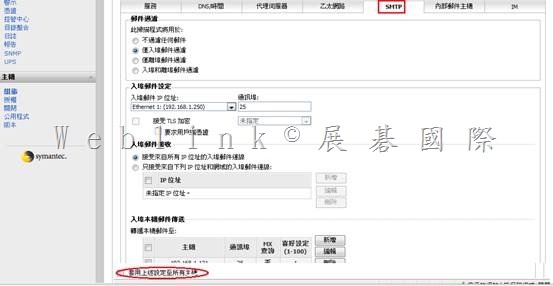
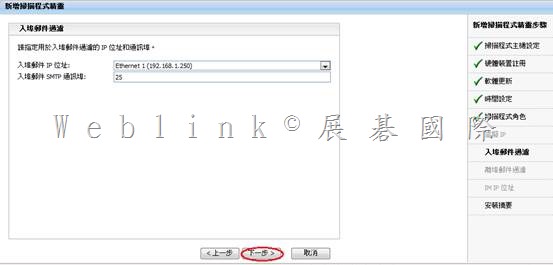
    入埠郵件位址: 192.168.1.250
    入埠郵件通訊埠: 25
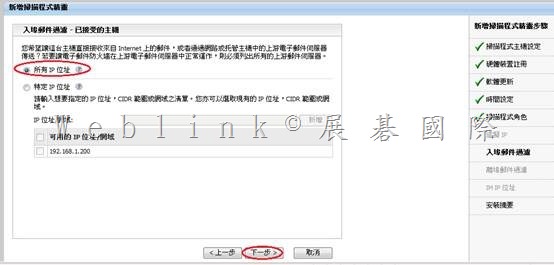
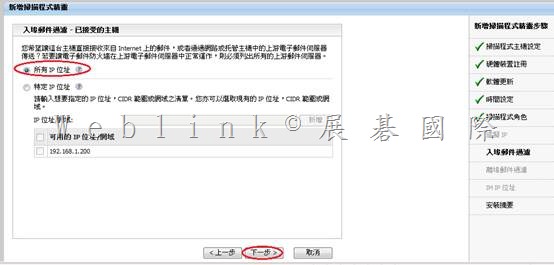
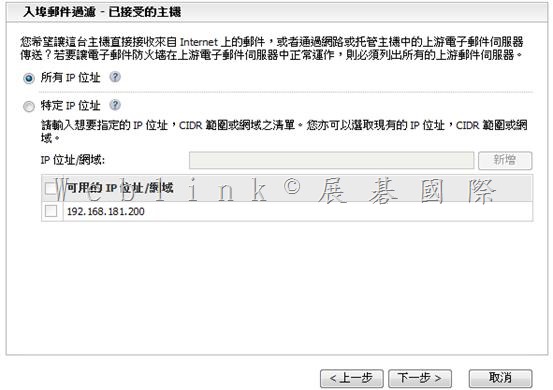
    入埠郵件連線: 接受來自所有 IP 位址
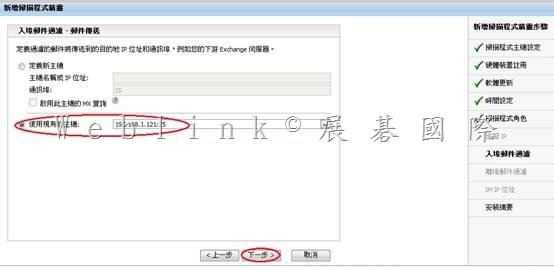
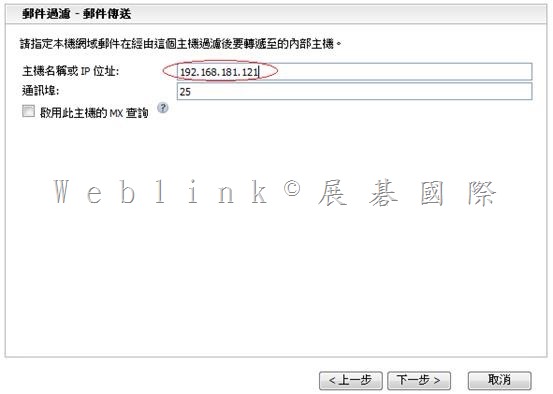
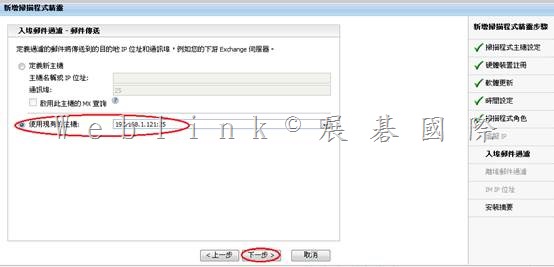
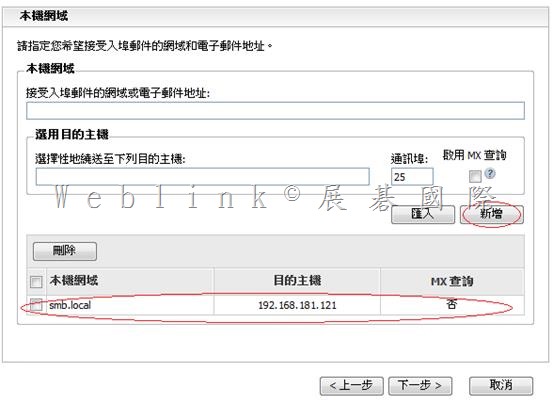
    本機轉遞位址: 192.168.1.121
    本機轉遞通訊埠: 25
    本機轉遞 MX 查詢: 否
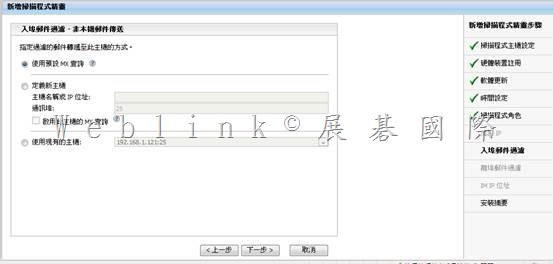
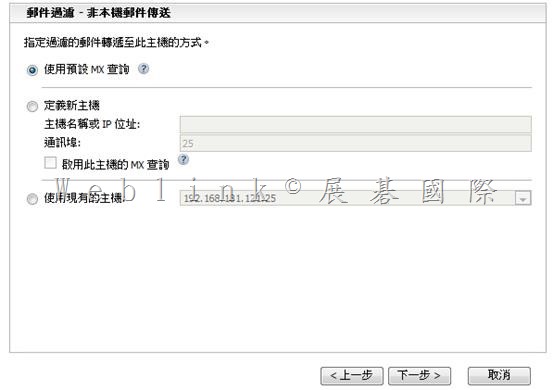
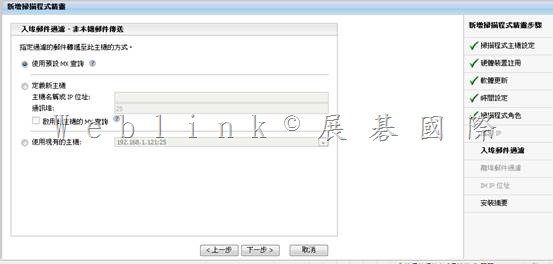
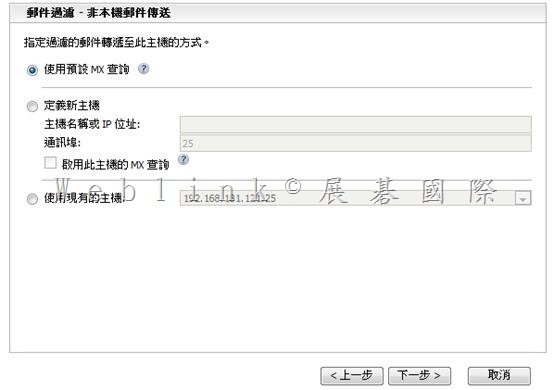
    非本機轉遞位址: 使用預設 MX 查詢

    clip_image048

    clip_image050

    clip_image052

    clip_image054

    clip_image056

    clip_image058

    clip_image060

    clip_image062

    clip_image064

    =================================================================

    x

    clip_image066

    http://www.stdtime.gov.tw/chinese/bulletin/NTP%20promo.txt

    time.stdtime.gov.tw

    clock.stdtime.gov.tw

    tick.stdtime.gov.tw

    tock.stdtime.gov.tw

    watch.stdtime.gov.tw

    clip_image068

    x

    clip_image069clip_image071

    clip_image073

    x

    clip_image075

    x

    clip_image077

    clip_image079

    clip_image081

    x

    clip_image082clip_image084

    x

    clip_image086

    clip_image088


    clip_image091

    clip_image093

    clip_image095

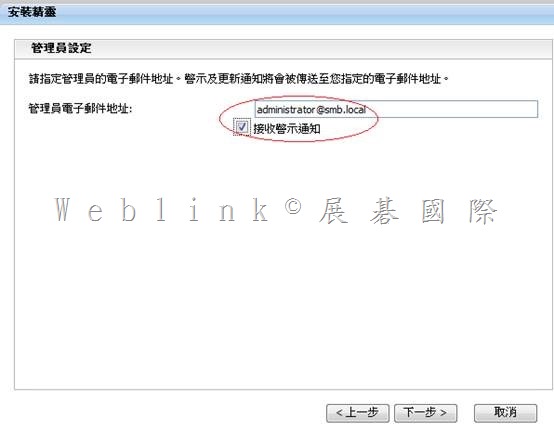
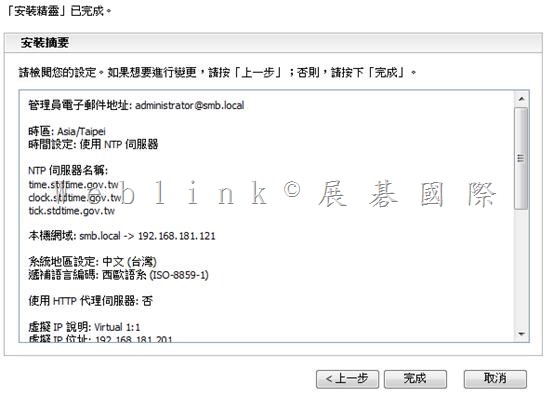
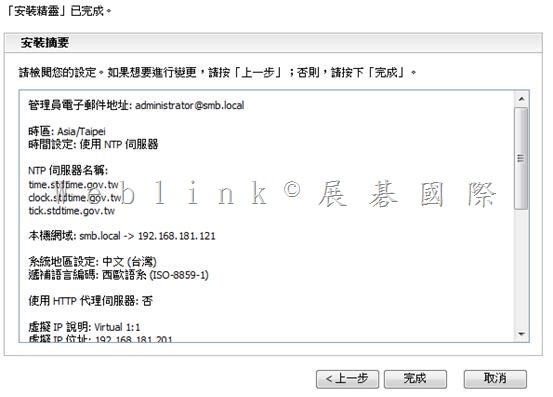
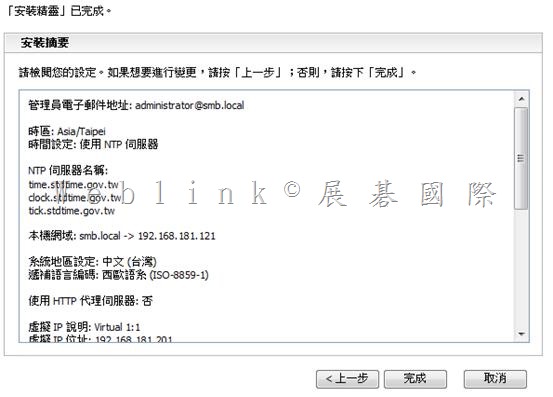
    管理員電子郵件地址: administrator@smb.local
    時區: Asia/Taipei
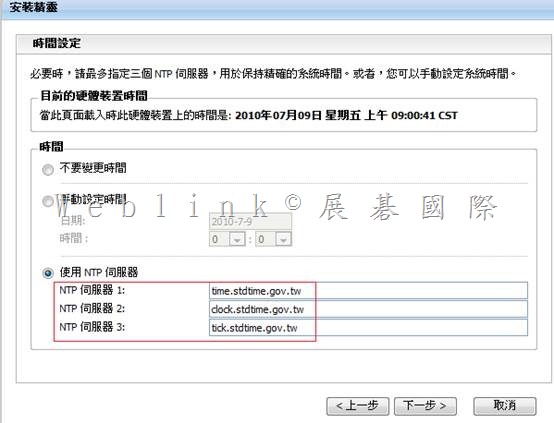
    時間設定: 使用 NTP 伺服器
    NTP 伺服器名稱:
    time.stdtime.gov.tw
    clock.stdtime.gov.tw
    tick.stdtime.gov.tw
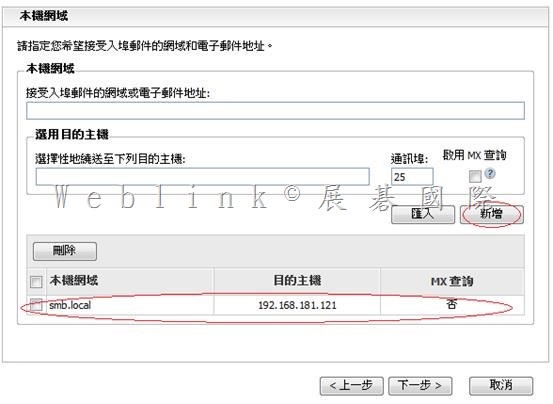
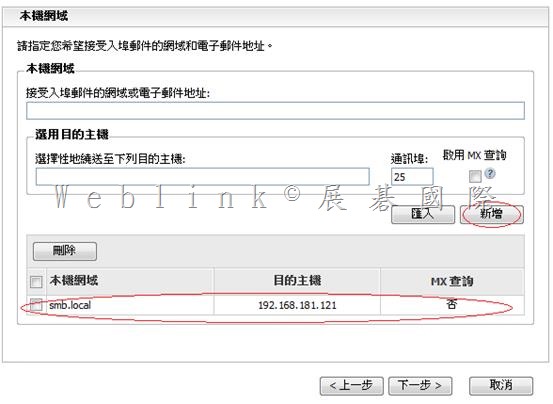
    本機網域: smb.local
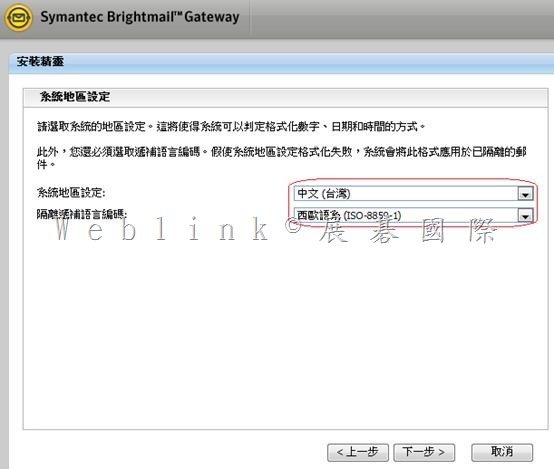
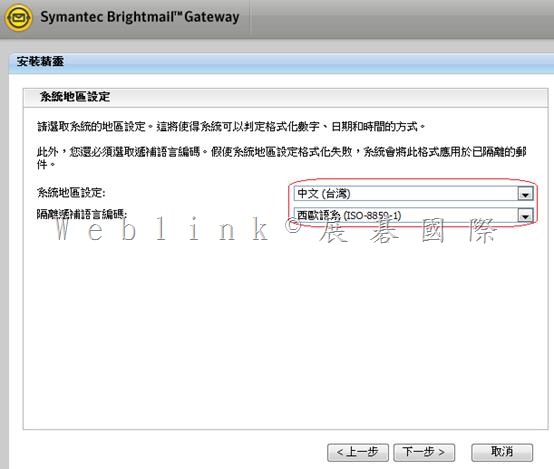
    系統地區設定: 中文 (台灣)
    遞補語言編碼: Unicode (UTF-8)
    使用 HTTP 代理伺服器: 否
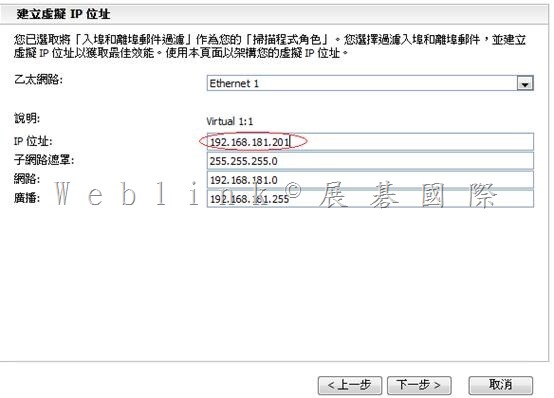
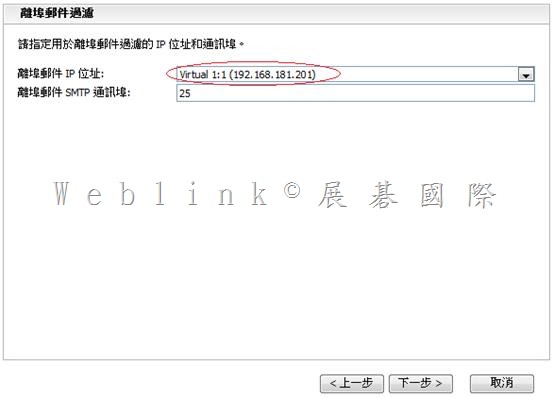
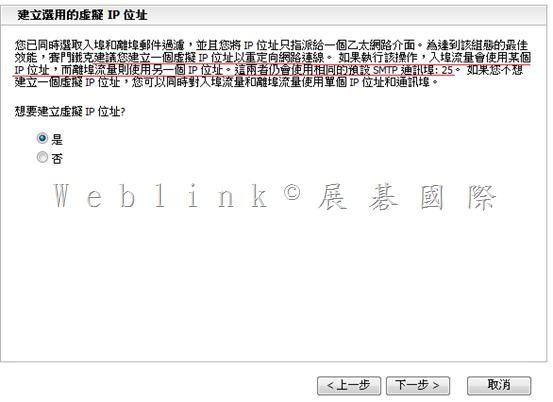
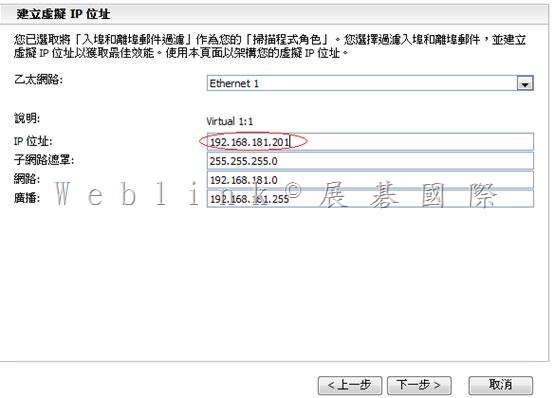
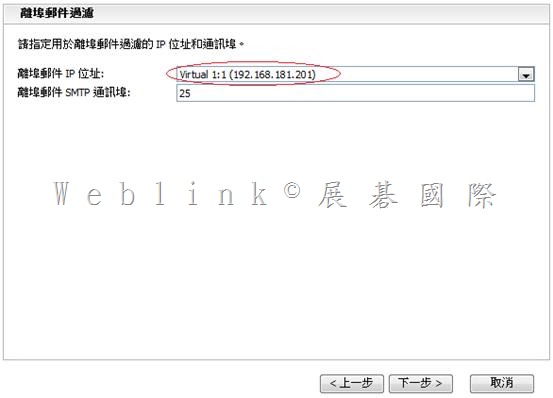
    虛擬 IP 說明: Virtual 1:1
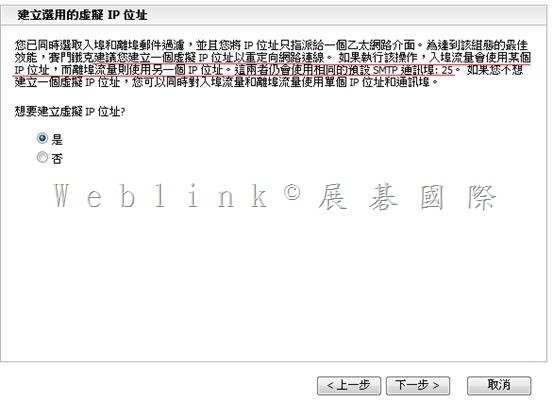
    虛擬 IP 位址: 192.168.1.201
    虛擬 IP 網路遮罩: 255.255.255.0
    虛擬 IP 網路: 192.168.1.0
    虛擬 IP 廣播: 192.168.1.255
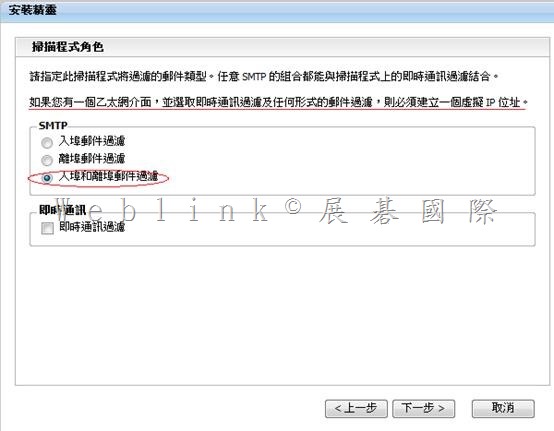
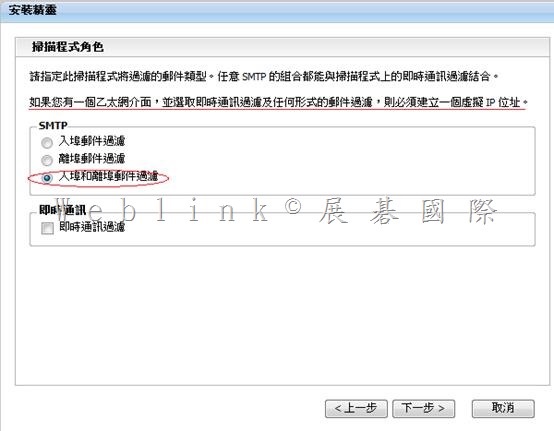
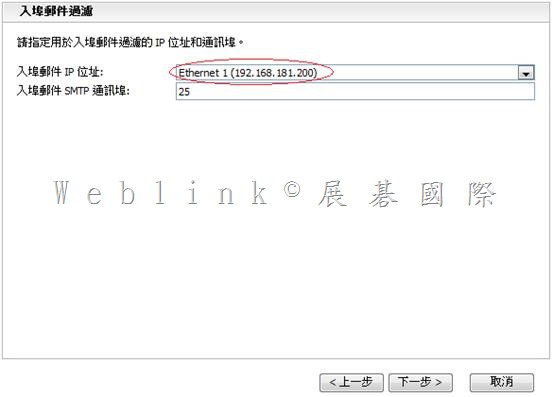
    郵件過濾: 入埠和離埠郵件過濾
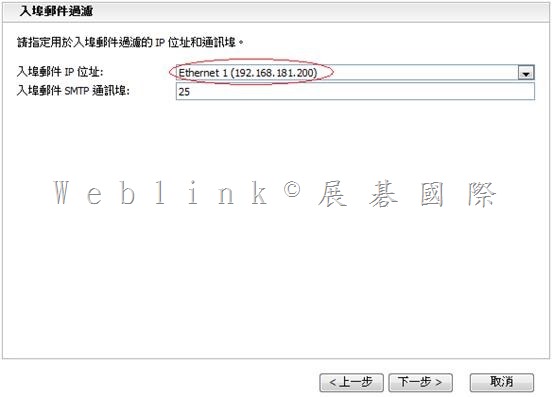
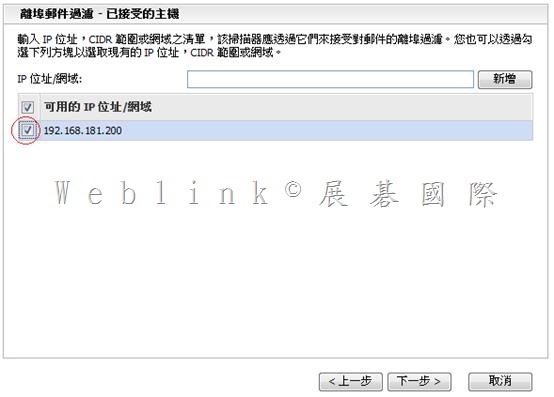
    入埠郵件位址: 192.168.1.200
    入埠郵件通訊埠: 25
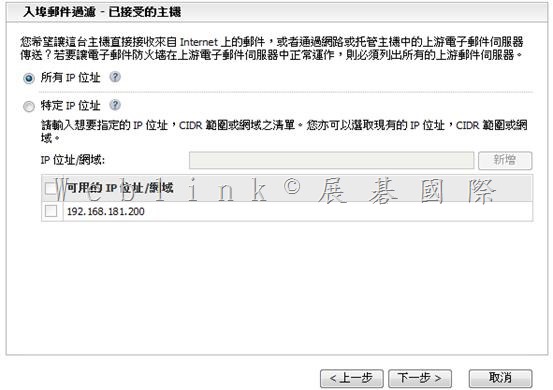
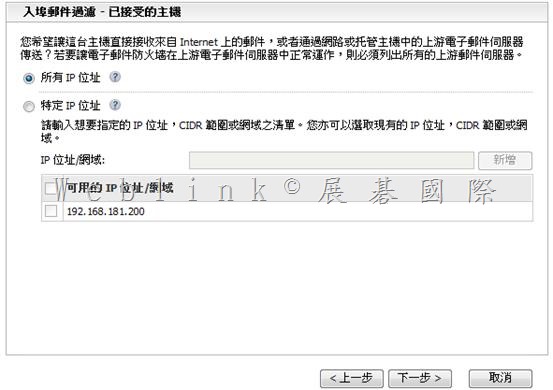
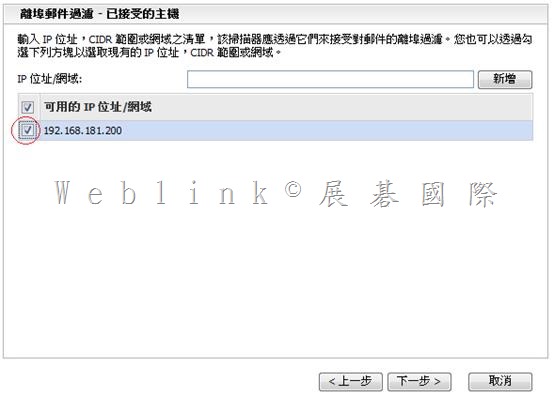
    入埠郵件連線: 接受來自所有 IP 位址
    離埠郵件位址: 192.168.1.201
    離埠郵件通訊埠: 25
    離埠郵件用戶端: 192.168.1.200
    離埠郵件用戶端: 192.168.1.121
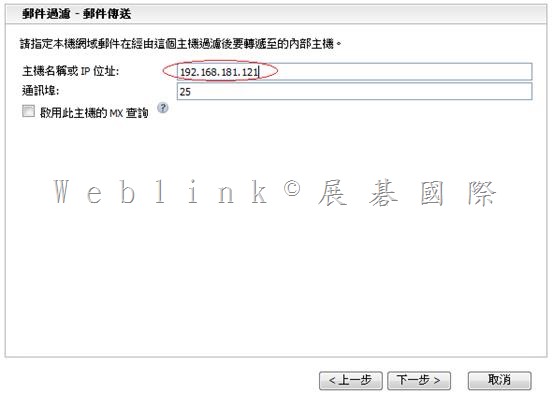
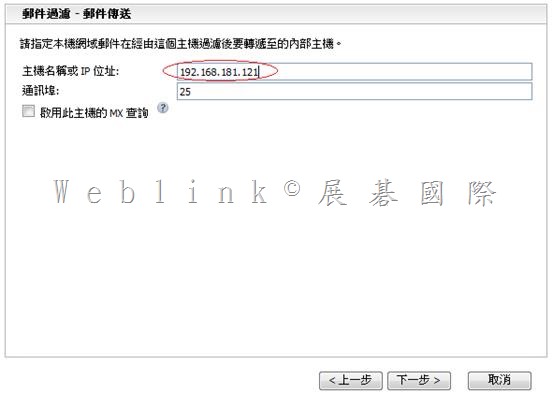
    本機轉遞位址: 192.168.1.121
    本機轉遞通訊埠: 25
    本機轉遞 MX 查詢: 否
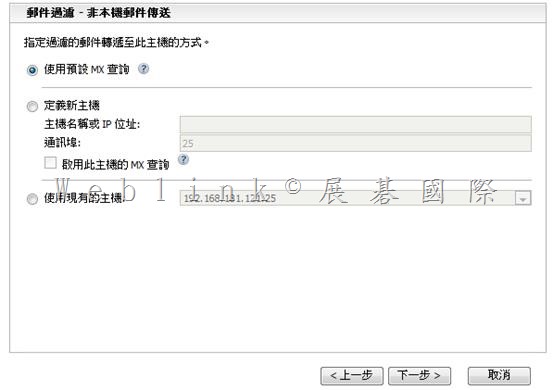
    非本機轉遞位址: 使用預設 MX 查詢
    即時通訊過濾: 已停用

    clip_image097

    clip_image099

  • Symantec Brightmail Gateway 9.0.1安裝與基本設定

    【使用 ESXi 的前置作業】

    l 安裝 VMWare Workstation (我裝 7.0)

    l 在VMWare Workstation 上,新增一個 VM → (120G、3G memory、CPUx2)(並做好相關設定,讓 VM 中可以開啟另一個 VM,以利本次測試)

    l VM 上面安裝VMWare ESXi 4.0【192.168.1.132】

    l 連線至 http://192.168.1.132 下載 VSphere client

    l 在本機安裝 VSphere client,透過 VSphere client 連線至VMWare ESXi 4.0

    l 在 VSphere client 上,上傳 .ovf,以建立另一個 SBG VM

    l 開啟此 VM,進行下面 SBG 的設定

    【Symantec Brightmail Gateway 9.0.1 設定】

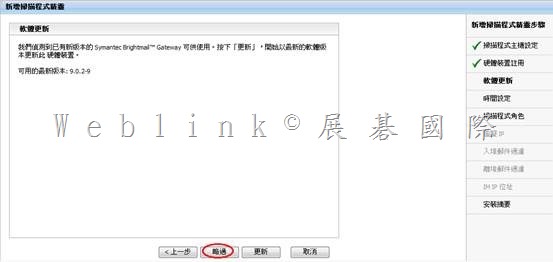
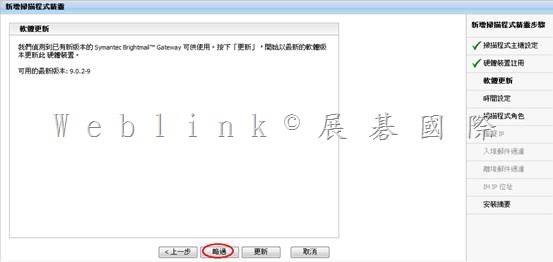
    開啟 Symantec Brightmail Gateway

    【pre-config console】

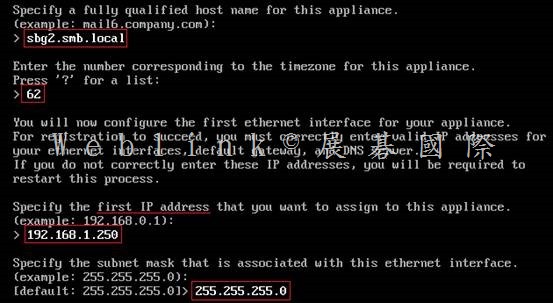
    【預設帳號:admin】【預設密碼:symantec】登入 pre-config console

    系統會立即請你設定新密碼

    設定 時區 【62】

    設定 Symantec Brightmail Gateway FQDN 【sbg.smb.local】

    設定 ip、子網路遮罩【192.168.1.200、255.255.255.0】

    設定 static route【略】

    設定 gateway【192.168.1.1】

    設定 DNS【192.168.1.121】
    【Web console】

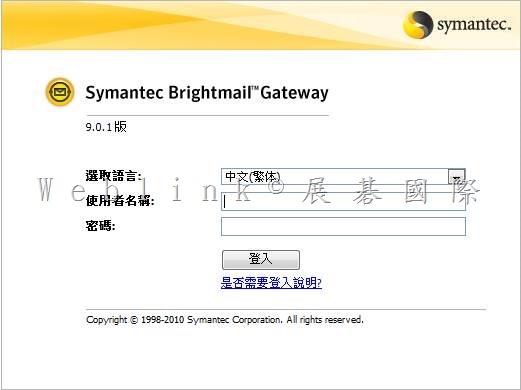
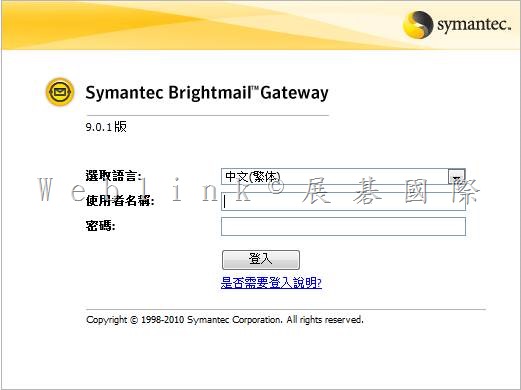
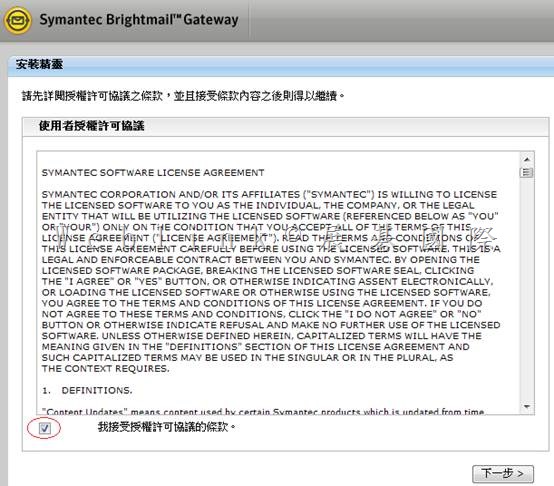
    登入Symantec Brightmail Gateway web console

    https://ip (https://192.168.1.200)

    帳號:admin

    密碼:
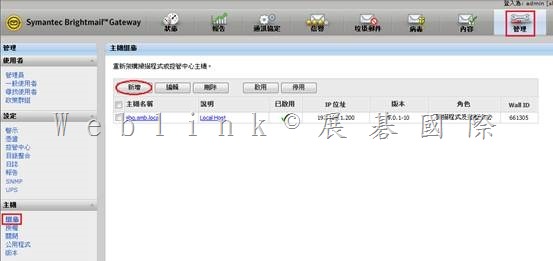
    第一次登入 SBG pre-config console時,密碼是 symantec,不過會立即請你設定新密碼

    之後就是以此新密碼來登入 web console

    需先取得的資訊

    VMWare ESXi 4.0

    (IP與使用 VSphere登入ESXi 的帳號 [root]、密碼)

    SBG

    FQDN

    IPx2、Subnet Mask、Gateway、DNS

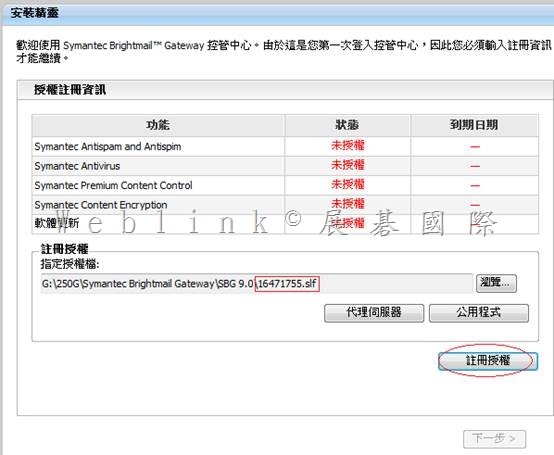
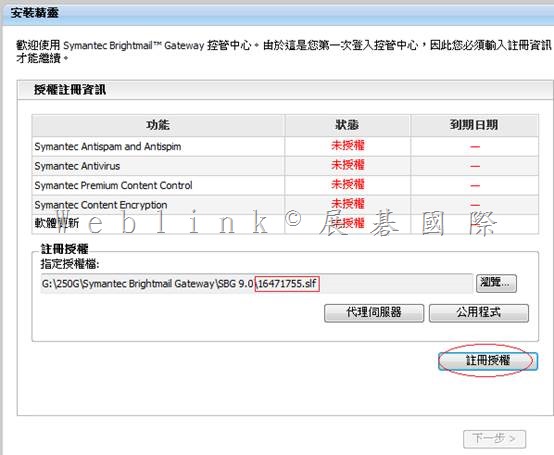
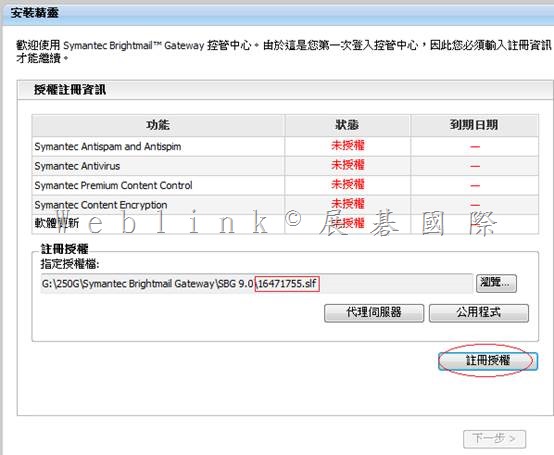
    SBG license file (.slf)

    Notification Mail Address

    NTP

    Mail Domain、Forward Mail server or IronPort IP

    clip_image002

    clip_image004

    clip_image006

    clip_image008

    clip_image010

    clip_image012

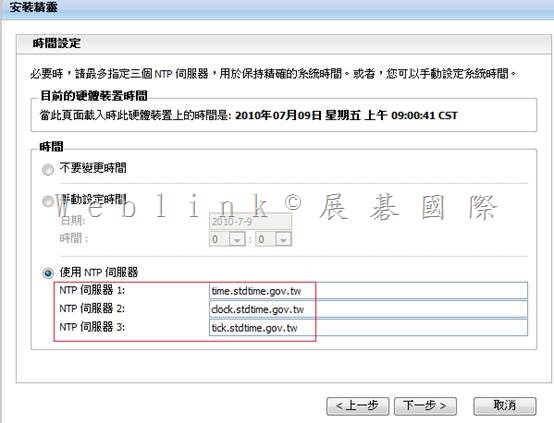
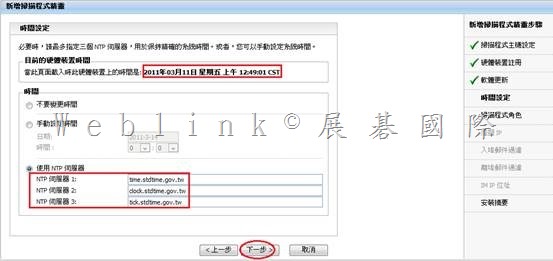
    http://www.stdtime.gov.tw/chinese/bulletin/NTP%20promo.txt

    time.stdtime.gov.tw

    clock.stdtime.gov.tw

    tick.stdtime.gov.tw

    tock.stdtime.gov.tw

    watch.stdtime.gov.tw
    clip_image014

    clip_image015

    此處請改為 UTF8

    clip_image017

    請視需求選取

    clip_image019

    一般使用毋須建立

    clip_image021


    clip_image023

    clip_image025

    clip_image027

    clip_image028clip_image030

    clip_image032

    clip_image034


    clip_image037

    clip_image039

    clip_image041

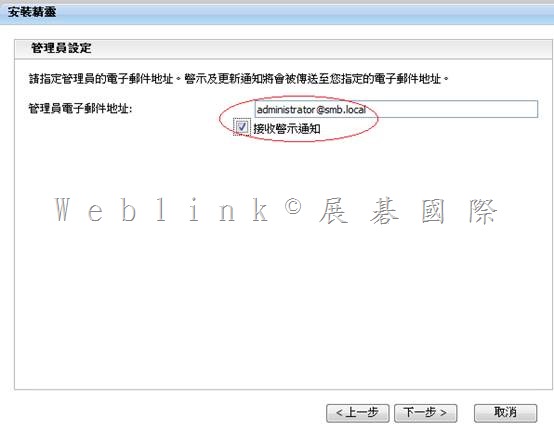
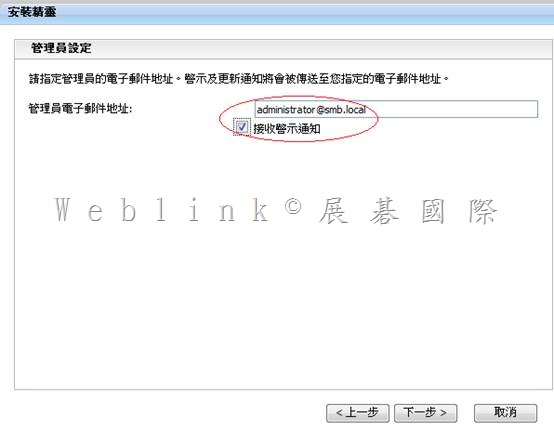
    管理員電子郵件地址: administrator@smb.local
    時區: Asia/Taipei
    時間設定: 使用 NTP 伺服器
    NTP 伺服器名稱:
    time.stdtime.gov.tw
    clock.stdtime.gov.tw
    tick.stdtime.gov.tw
    本機網域: smb.local
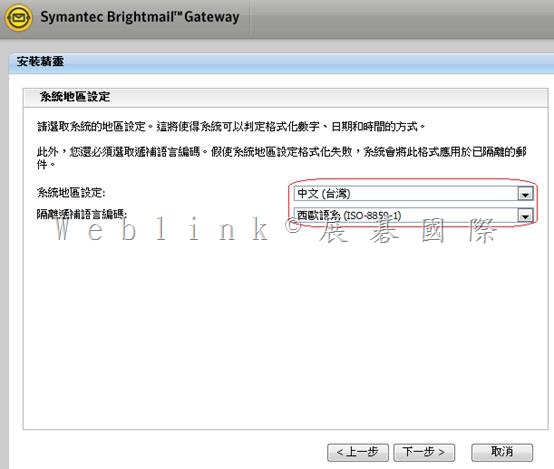
    系統地區設定: 中文 (台灣)
    遞補語言編碼: Unicode (UTF-8)
    使用 HTTP 代理伺服器: 否
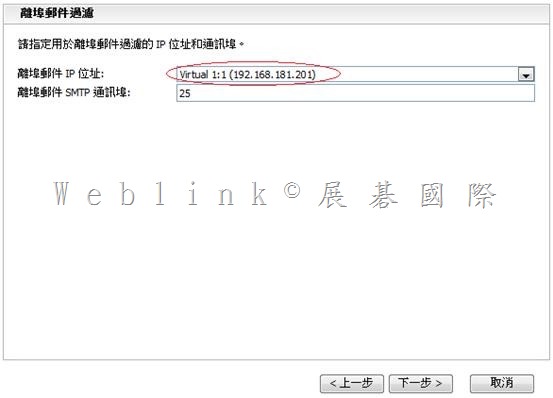
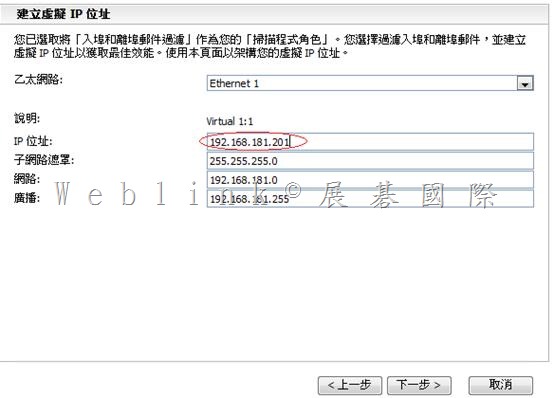
    虛擬 IP 說明: Virtual 1:1
    虛擬 IP 位址: 192.168.1.201
    虛擬 IP 網路遮罩: 255.255.255.0
    虛擬 IP 網路: 192.168.1.0
    虛擬 IP 廣播: 192.168.1.255
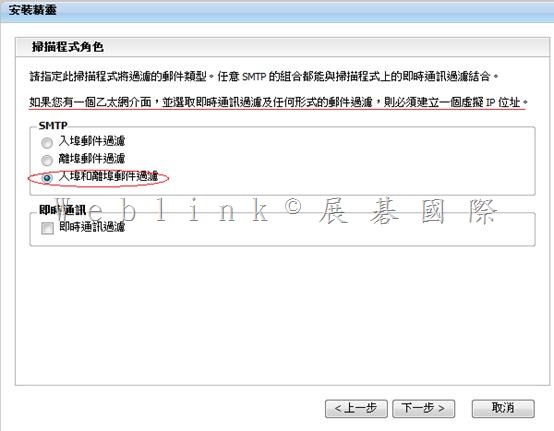
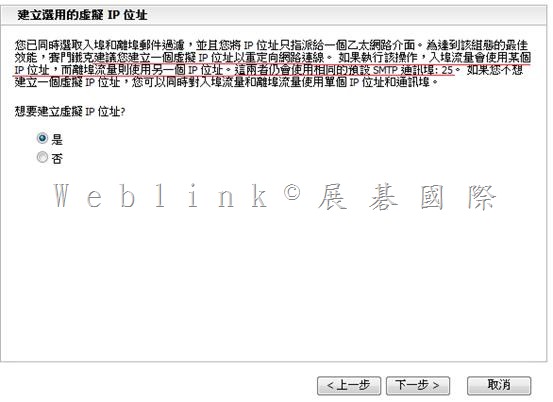
    郵件過濾: 入埠和離埠郵件過濾
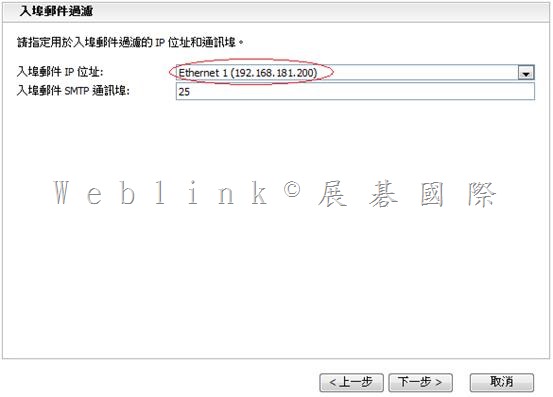
    入埠郵件位址: 192.168.1.200
    入埠郵件通訊埠: 25
    入埠郵件連線: 接受來自所有 IP 位址
    離埠郵件位址: 192.168.1.201
    離埠郵件通訊埠: 25
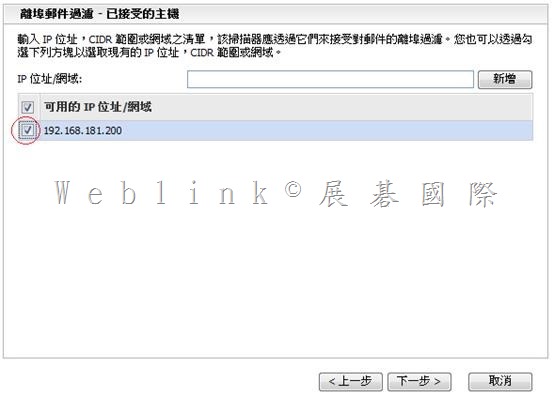
    離埠郵件用戶端: 192.168.1.200
    離埠郵件用戶端: 192.168.1.121
    本機轉遞位址: 192.168.1.121
    本機轉遞通訊埠: 25
    本機轉遞 MX 查詢: 否
    非本機轉遞位址: 使用預設 MX 查詢
    即時通訊過濾: 已停用

    clip_image043

    clip_image045