【SEP12 如何解決 Hardware ID 重複的問題】
請參考以下 KB
【Duplicate Hardware IDs result in only one client showing up in the Symantec Endpoint Protection Manager for multiple systems】
http://www.symantec.com/business/support/index?page=content&id=TECH97626
【詳細步驟如下】
1. 在所有重複的用戶端停止 SMC 服務
請先停用【竄改防護】→取消勾選【防護賽門鐵克安全軟體不受竄改或關閉】
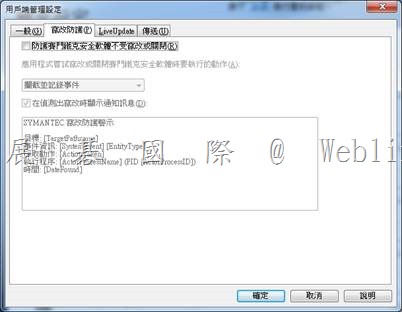
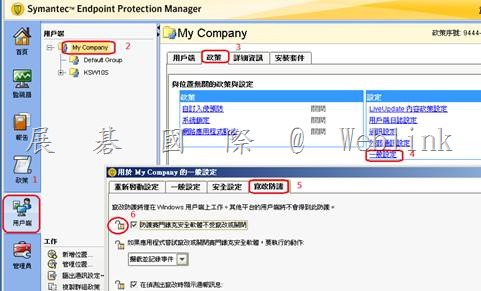
※ 如果無法停用【竄改防護】,必須至 SEPM 管理主控台進行設定
鎖頭不要上鎖,用戶就可以停用【竄改防護】
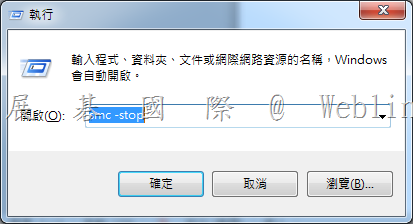
請按鍵盤上【Windows 鍵】+【R鍵】→會跳出【執行】視窗
※ XP 請按【開始】→【執行】
在出現的視窗中,輸入【smc –stop】,並按下【確定】
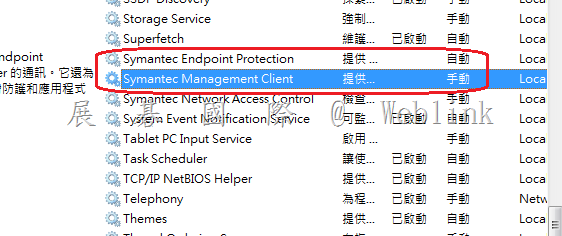
此時,您會發現右下角SEP12防毒軟體盾牌不見了
服務中的【Symantec Endpoint Protection】【Symantec Management Client】也停止了
2. 在 SEPM 刪除重複的用戶端
3. 開啟用戶端登錄編輯程式
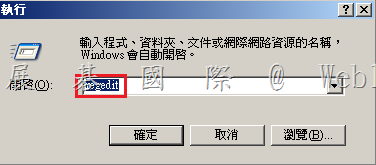
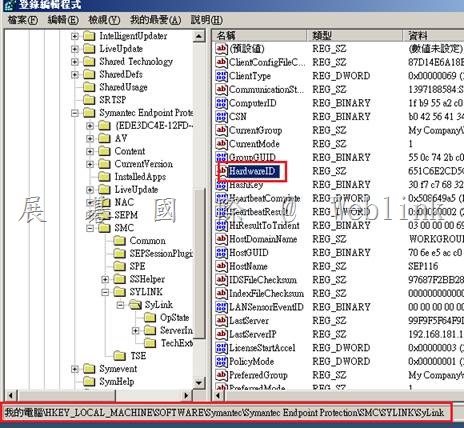
開啟至以下位置
HKLM\Software\Symantec\Symantec Endpoint Protection\SMC\Sylink\Sylink
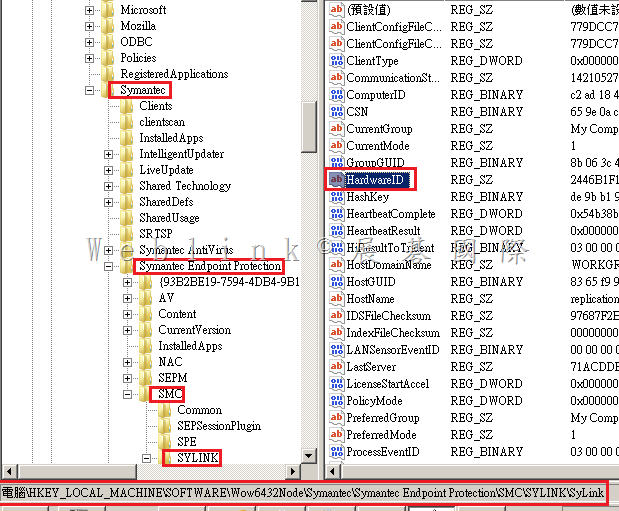
4. 在右方找到 HardwareID,雙按 HardwareID
HKLM\Software\Wow6432Node\Symantec\Symantec Endpoint Protection\SMC\Sylink\Sylink
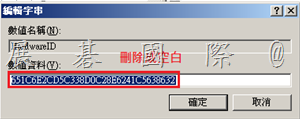
將 HardwareID 值刪除成空白
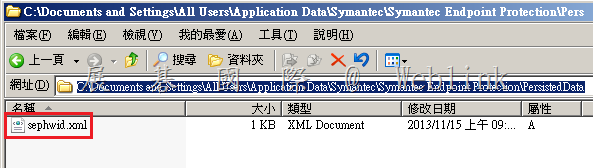
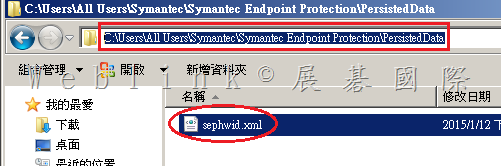
5. 在所有重複的用戶端將 sephwid.xml 更名為 sephwid.xml.bak
SEP 11 Location:
C:\Program Files\Common Files\Symantec Shared\HWID
SEP 12.1 Location:
Windows XP/2003: C:\Documents and Settings\All Users\Application Data\Symantec\Persisted Data
Windows Vista/7/2008: C:\Program Data\Symantec\Symantec Endpoint Protection\Persisted Data
Windows 2008R2
C:\Documents and Settings\All Users\Application Data\Symantec\Symantec Endpoint Protection\PersistedData
Symantec\Symantec Endpoint Protection
C:\Users\All Users\Symantec\Symantec Endpoint Protection\PersistedData
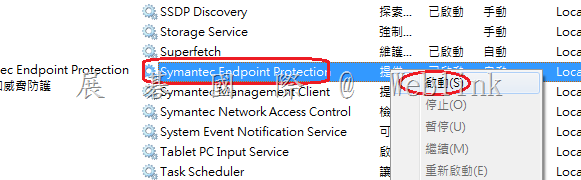
6. 請到【服務】→【Symantec Endpoint Protection】→右鍵【啟動】
此時,您會發現右下角SEP12防毒軟體盾牌又出現了
服務中的【Symantec Endpoint Protection】【Symantec Management Client】也啟用了
7. 別忘了再將【竄改防護】項目勾回
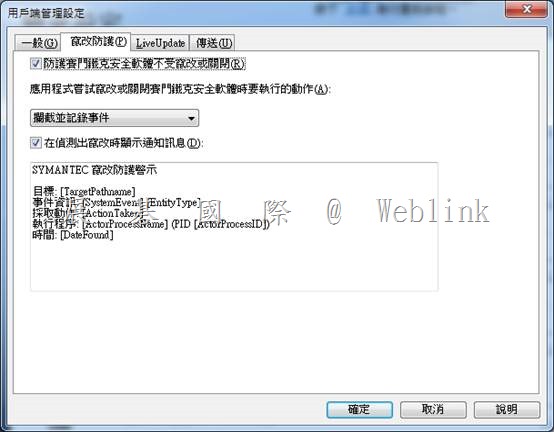
9. 在SEPM 主控台確認電腦均報到回 SEPM,並且有各自的 HardWare ID
補充:
【Enterprise Support – Symantec Corp. – How to repair duplicate IDs on cloned Symantec Endpoint Protection 12.1 clients】
http://www.symantec.com/business/support/index?page=content&id=TECH163349
【Enterprise Support – Symantec Corp. – How to prepare a Symantec Endpoint Protection 12.1.x client for cloning】
http://www.symantec.com/business/support/index?page=content&id=HOWTO54706