Issue Description
After The OS has been installed on the RH1288 V3 server, the server doesn’t boot up into OS
Solution
Checked the RAID configuration on the RAID controller => the RAID 1 level was properly configured
When configuring RAID, it is mandatory to set the boot option from BIOS
1. Go on the Adapter Properties screen, select SAS Topology and press Enter.
2 Use ↑ and ↓ to select a drive or RAID array, and press ALT+B to set the selected device as the first boot device.
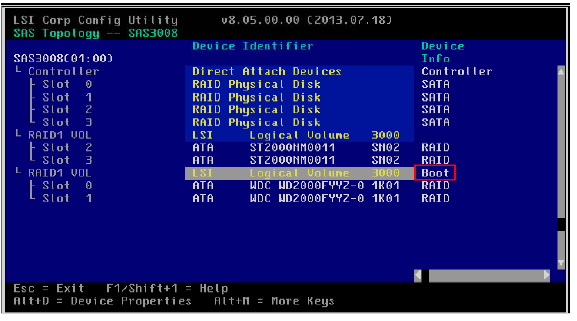
3 Press Esc to exit the current screen.
4 On the confirmation screen, select Save changes then exit this menu and press Enter.
